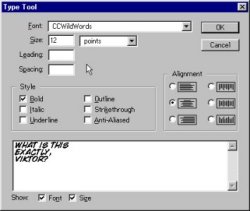
Once you've placed the lettering, you have to create the balloon outline. You can freehand the shape of the balloon with the Lasso tool, but my preference is to use the Marquee Selection tool, set on ellipse. If you press the <alt> key while dragging your selection, your ellipse will grow in size from the center outwards. If you use the Marquee Selection tool alone, the ellipse will grow from a corner. It's useful to know both ways of doing this.
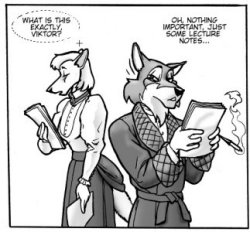
When your balloon is the desired size and shape, make a layer just under the lettering layer. Use the Edit => Stroke command with black as the foreground color, then use Edit => Fill => Background Color, and make sure the background color is set to white. |
 |